
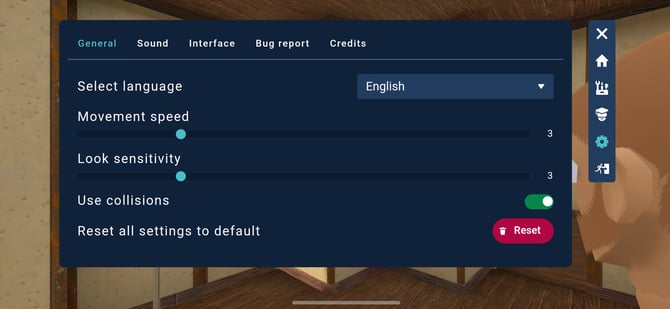
General
Select language
Choose the language used in menus and interface text.
Movement speed
Adjust how fast you move around in the scene. Increase for quicker navigation, decrease for more precise control.
Look sensitivity
Control how quickly your view rotates when using the right joystick. Lower values give smoother, slower movement, while higher values make looking around faster.
Use collisions
When enabled, you cannot pass through objects or walls. Disable this if you want to move freely through the environment.
Reset all settings to default
Restore all settings to their original values.
Sound
Input device
Select which microphone you want to use for voice communication.
Microphone preview
Shows your current microphone input level so you can check if your voice is being detected.
Mute microphone
Turn your microphone on or off. When muted, others cannot hear you.
Deafen voice chat
Mute all incoming voice chat. You will not hear other participants.
Master volume
Adjust the overall sound level of the application.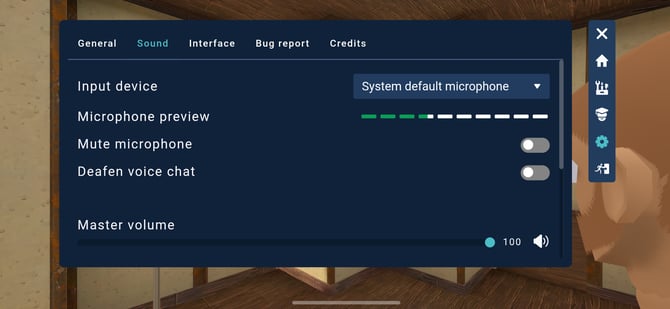
Interface
Show name tags
Display or hide name tags above avatars.
Show avatars
Toggle visibility of other participants’ avatars.
Avatar fade out distance
Set how close you need to be to see other avatars. Avatars will fade out when you move farther away.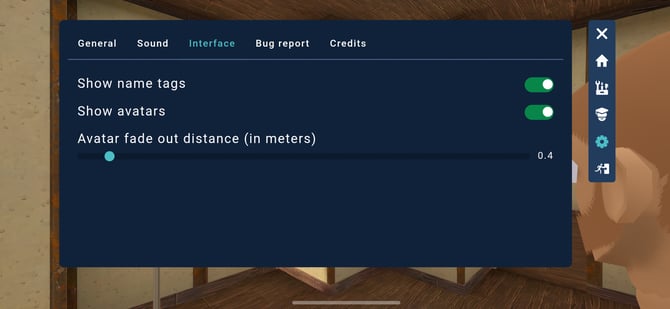
Bug report
If you encounter an issue, you can report it directly from the app.
Subject
Enter a short title describing the issue.
Detailed description
Provide more information about what happened, including steps to reproduce the issue if possible.
Submit
Send your report to help us improve the experience.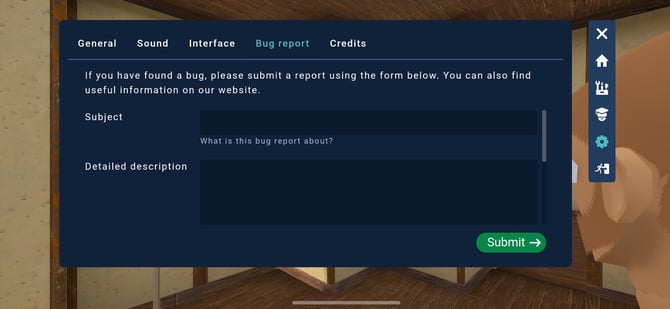
Credits
View information about the people and technologies behind Fynd CORE.
